
Cat6 / Cat6a structured cabling
Modern offices need 1Gbps to every desk, with headroom for 10Gbps in a few years. We install Cat6 and Cat6a structured cabling for new fit-outs, refurbs and small-business expansions across the Wirral, Liverpool and Cheshire. Every install is Fluke-tested and we provide as-built drawings and patch-panel labelling.
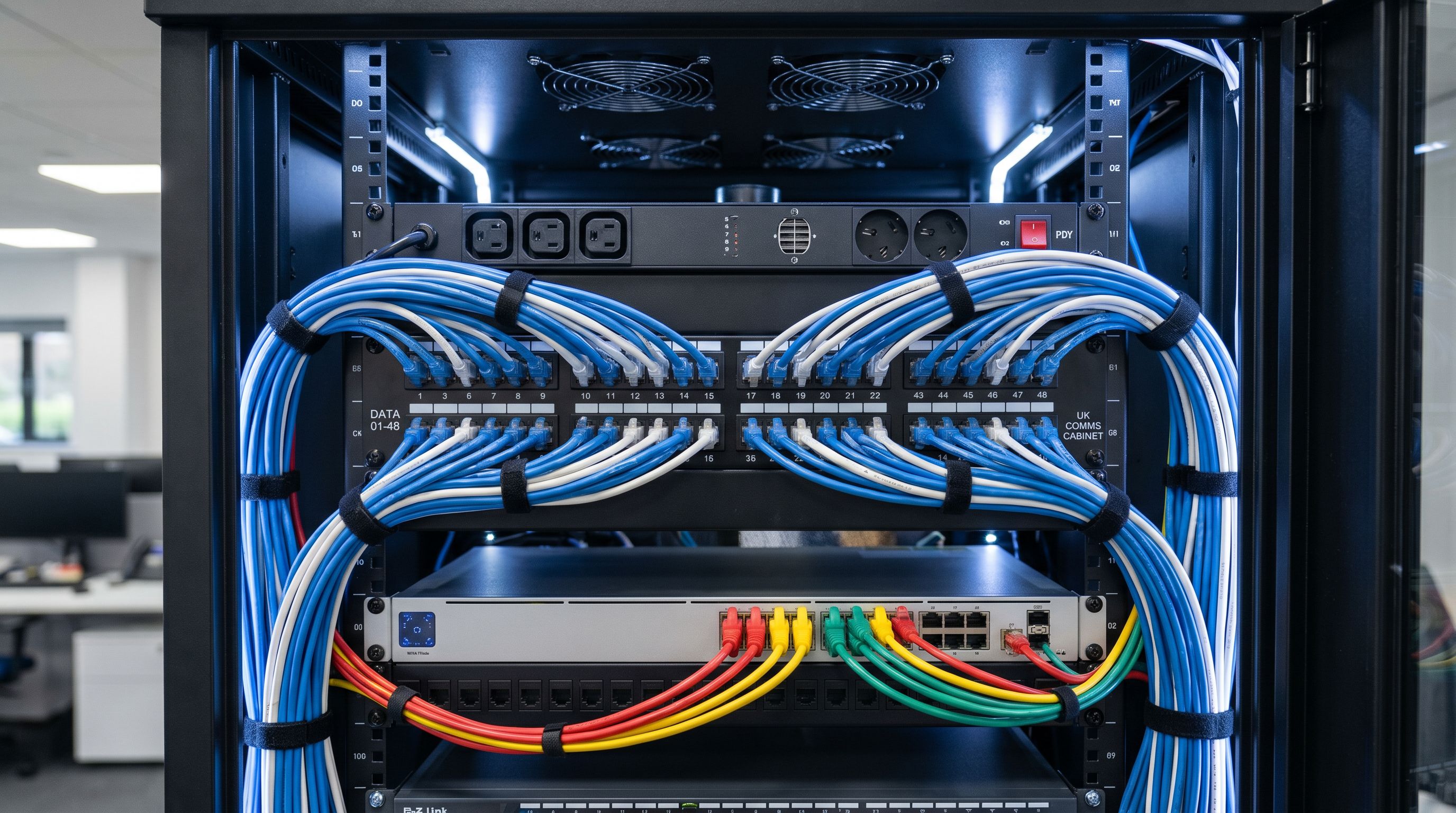
- Cat6 or Cat6a cable to wall outlets
- Patch panels, comms cabinet (12U, 24U or 42U)
- Wall-mounted brackets and floor cabinets
- OM3 or OS2 fibre risers between floors
- Fluke channel test certification per drop
- As-built drawings with port-to-room mapping
Office tenants planning a fit-out or expansion, factories adding shop-floor IP devices, retail multi-site operators, schools, and home-office clients running serious networking (multiple cameras, NAS, multiple PoE devices).
For most offices Cat6 is sufficient (1Gbps confirmed, 10Gbps over short runs). Cat6a costs about 25% more and gives you confirmed 10Gbps over 100m — worth specifying for new builds, video editing studios and anyone running PoE++ access points.
We Fluke-test every drop (channel test) and provide a digital test report. This is the industry standard for warranty claims and what your IT supplier will ask for if there's a network issue down the line.
Frequently asked
Cat5e, Cat6 or Cat6a — which do I need?
Cat5e: legacy, fine for 1Gbps over short runs but stop installing it. Cat6: 1Gbps confirmed, 10Gbps over short runs (under 50m). Cat6a: 10Gbps confirmed over 100m. For most offices Cat6 is the right cost-performance balance; for new builds or anywhere you might add 10G in future, spec Cat6a.
How many sockets per desk?
Modern best practice is 2 data sockets per desk (one PC, one phone or backup) and 4 power sockets. If you're going laptops + WiFi only and have good AP coverage, 1 data socket per desk is workable. We always include 1 spare in the patch panel for future use.
Do you supply WiFi access points too?
We don't typically supply the active networking gear (switches, APs) but we cable for it — PoE-rated drops to ceiling locations and capacity in the patch panel. We can recommend an IT partner if you don't have one.
How long does a 50-desk install take?
1–2 weeks depending on access. We work at first-fix during a fit-out (cable in walls and ceiling void) then return at second-fix to terminate, label and test. If it's a live office we work evenings and weekends.
Do you do fibre?
Yes — we install OM3/OM4 multimode and OS2 single-mode fibre, terminate to LC or SC and provide a Fluke OTDR test report. Most jobs are inter-floor risers between cabinets rather than fibre to the desk, which is rare for a typical office.